



























If you're planning to build a website, the process usually starts with two questions:
Which CMS should you choose? And what kind of hosting do you need for it?
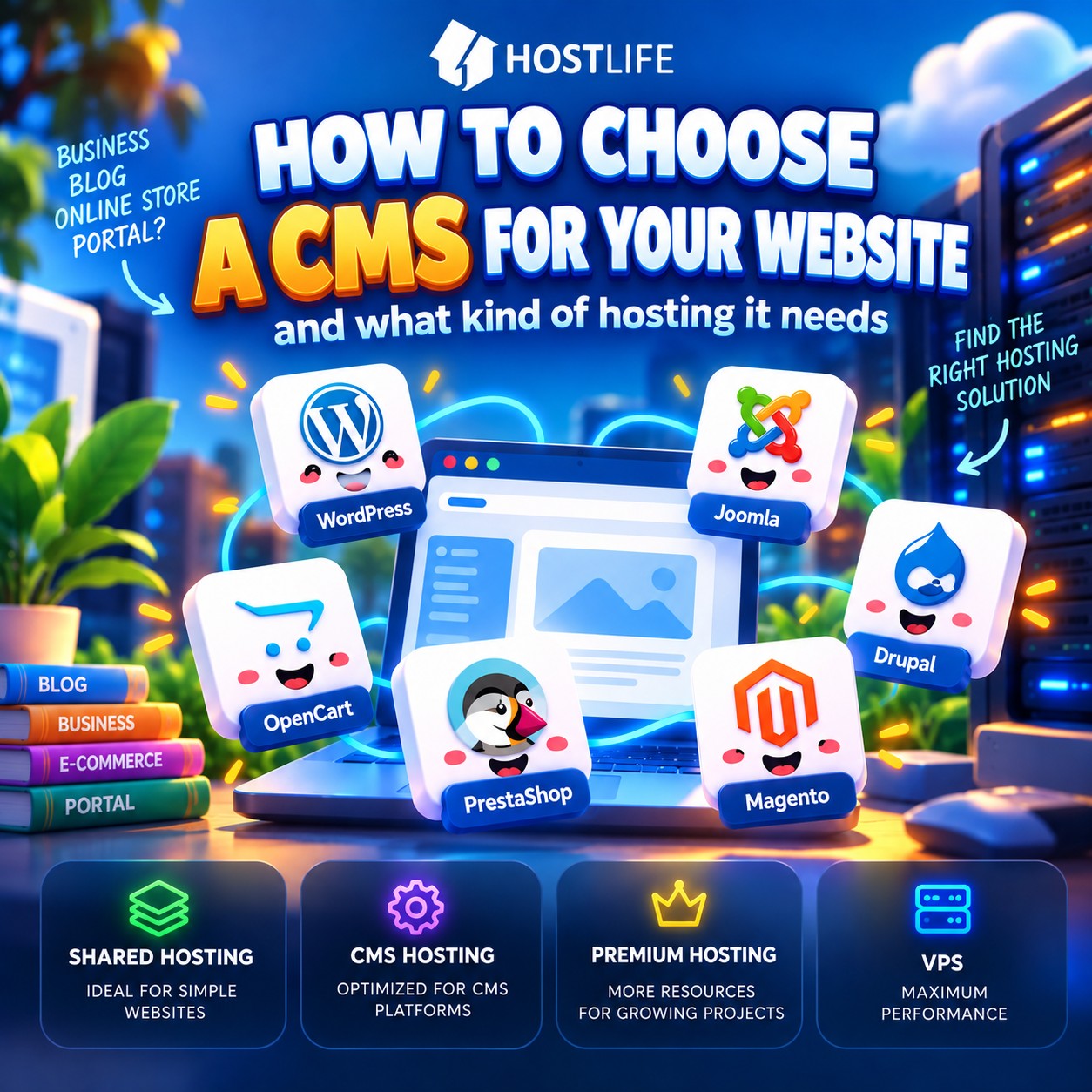
WordPress, Joomla, Drupal, OpenCart, PrestaShop, and Magento — each of these systems is designed for different purposes. Even the same CMS can run on very different hosting plans, depending on what you intend to build with it.
Let's break it down without complicated terminology, from a simple website to a large online store.
Start with your project, not your hosting
A CMS is a tool, not a finished website.
For example, WordPress can power a small personal blog, a company's corporate website, or an online store built with WooCommerce. Technically, it's the same CMS, but these projects can have completely different server requirements.
That's why it's better to start by identifying your needs:
- you need a simple business website;
- you need a blog or an informational website;
- you need an online store;
- you need a large product catalog;
- you need a complex portal;
- you need a project with many users and custom functionality.
Only then should you choose your CMS and hosting.
WordPress — a versatile solution
WordPress is one of the most versatile options available.
It's well suited for corporate websites, blogs and media websites, service-based businesses, small catalogs, WooCommerce stores, landing pages, and small commercial projects.
An ordinary WordPress website doesn't require a large amount of server resources. In most cases, there's no need to start with an expensive server.
However, resource requirements gradually increase as you add more plugins, complex themes, WooCommerce functionality, a large catalog, or a significant amount of traffic.
For a small project, WordPress hosting is a sensible starting point. As your website grows, you can upgrade to a more powerful hosting plan or move to a VPS.
Joomla — for more complex websites
Joomla is often chosen for corporate websites, portals, and projects with complex content structures.
It offers more options for building structured websites than a typical small business website may need.
However, using Joomla doesn't automatically mean you need a powerful server.
Joomla hosting is perfectly sufficient for a small corporate website. If your project contains a large amount of content, many users or extensions, or attracts significant traffic, you should consider a more powerful hosting plan.
Drupal — when flexibility matters
Drupal is more commonly used for complex projects where data structures, access permissions, integrations, and extensive customization are important.
Examples include:
- a large informational portal;
- a complex corporate website;
- a project with many different content types;
- a website with custom integrations.
For these projects, it's especially important not just to install the CMS but also to ensure that it has sufficient server resources.
The more complex your project, the less sense it makes to cut corners on hosting.
You can start by considering Drupal hosting and upgrade to a more powerful solution as your requirements grow.
Online stores: OpenCart, PrestaShop, and Magento
The situation is a little different with online stores.
An online store typically generates significantly more server load than a standard business website. Product catalogs, search, filters, shopping carts, images, product databases, orders, and various modules all make regular requests to the server.
OpenCart
OpenCart is well suited for small and medium-sized online stores.
For a store with a relatively small catalog, you can start with OpenCart hosting. As the number of products, visitors, and installed modules increases, your resource requirements will grow as well.
PrestaShop
PrestaShop is specifically designed for e-commerce and offers a wide range of store management features.
Here, it's particularly important to consider the size of your catalog, the number of modules, and your actual traffic levels.
For a small store, specialized PrestaShop hosting may be sufficient. Larger projects may require Premium Hosting or a VPS.
Magento
Magento belongs to a different category altogether.
A large catalog, complex filters, integrations, multiple stores, and a high volume of orders all require substantial computing resources.
For a serious Magento project, you should therefore focus on a configuration that can handle the actual workload rather than simply choosing the cheapest hosting plan.
You can start with Magento hosting, but large and resource-intensive projects may eventually require a VPS or other dedicated resources.
Which hosting plan should you choose?
This is where an important point comes into play.
The name of your CMS alone doesn't determine which hosting plan you need.
A basic WordPress website with ten pages and a WordPress store with 30,000 products generate completely different workloads.
As a general guideline, you can use the following:
Small business website — standard hosting.
Blog or informational website — standard hosting or specialized CMS hosting.
WordPress, Joomla, or Drupal with higher resource requirements — more powerful hosting or a VPS.
Small OpenCart or PrestaShop store — specialized hosting for the relevant CMS.
Growing online store — Premium Hosting.
Large store or complex project — VPS.
Large Magento store or high-traffic project — a VPS with an appropriate configuration.
These aren't strict rules. One website may run perfectly well on a standard hosting plan, while another website using the same CMS may require a VPS.
Why choose specialized CMS hosting?
At first glance, CMS hosting might seem like ordinary hosting with a different name.
In practice, the idea is different.
CMS hosting is a ready-made solution for a specific class of projects. You don't have to figure out which server to configure, how many resources to allocate, or where to start.
And if your project outgrows its initial configuration, you can move to the next level:
Standard Hosting → CMS / Premium Hosting → Essential VPS → Standard VPS → Performance VPS
In other words, you don't have to buy an oversized server right from the start just to accommodate future growth.
Don't pay for more resources than you need
This is probably the most important piece of advice.
If you're launching a small business website with a few pages, a contact form, and a news section, there's little reason to start with a powerful VPS.
On the other hand, if you're launching an online store with a large catalog, complex filters, and many visitors, cutting back on server resources can result in a slow website and lost orders.
Good hosting isn't about choosing the most powerful plan. It's about choosing a plan that matches your project's actual workload.
What if I don't know how many resources I need yet?
That's perfectly normal.
When launching a new project, it's impossible to predict future traffic and server load with complete accuracy.
That's why it's better to start with a sensible configuration and monitor actual resource usage. If your website grows, you can increase its resources accordingly.
That's exactly why HOSTLIFE offers several levels of hosting solutions, from standard hosting to specialized solutions for WordPress, Joomla, Drupal, OpenCart, PrestaShop, and Magento, as well as Premium Hosting and VPS solutions.
For your first VPS, consider Essential VPS. For more demanding projects, Standard VPS or Performance VPS may be a better fit.
You can start with a plan that suits your current needs and move to the next level when your project genuinely requires it.
The key takeaway
There is no CMS that automatically requires a powerful server, just as there is no universal hosting plan suitable for every website.
WordPress, Joomla, and Drupal can all run perfectly well on standard hosting while a project remains relatively small.
OpenCart and PrestaShop require more attention to server resources as an online store grows.
Magento and large commercial projects should be planned with substantial workloads in mind from the outset.
So, instead of asking "Which CMS is the most powerful?", follow a simple approach:
Project requirements → CMS → Expected workload → Suitable hosting.
Then monitor your project and increase resources when you actually need them.